Audiobooks with a sleep timer: fall asleep without losing your place
A sleep timer stops your audiobook after a period of time you set in advance. That way, it doesn't keep playing all night, and you don't spend hours in the morning searching for the place where you drifted off. You can set one in almost any audiobook app, on an iPhone through the Clock app, on smart speakers by voice command, and on a computer through the player. But that only solves half the problem. The timer doesn't know when you fall asleep. It only knows when the time is up. The story itself solves the other half: if it's roughly as long as it takes you to fall asleep, it ends on its own, and you don't miss anything. That's exactly what we built OutaStory for: short stories you can read for free or listen to as audiobooks.
In brief
- The timer stops when time is up, not when you fall asleep. If you fall asleep 10 minutes into a 30-minute timer, you'll miss another 20 minutes of the story.
- The end of a chapter is a better stopping point if the chapters are short. That's even more true of a complete short story.
- If your app doesn't have its own timer, the iPhone Clock timer, a sleep timer on a smart speaker, or your player's timer can help.
- If the audiobook keeps playing anyway, it's usually down to battery optimization, headphone buttons, or a frozen app.
- Short-story audiobooks fit the time it takes you to fall asleep: on OutaStory, you can listen to them for free, with professional voices or the author's own voice.
Contents
- What a sleep timer does and doesn't do
- Finding the right timer duration
- Setting a sleep timer: app, iPhone, Android, smart speaker, PC
- Short stories: the audiobook that ends on its own
- For children: bedtime stories with a definite ending
- When the timer doesn't stop playback
- Falling asleep with OutaStory
- Frequently asked questions
- Sources
What a sleep timer does and doesn't do
The principle is simple. You start playback, choose a duration or “End of chapter,” and the player pauses when the time is up. Many apps slowly fade out the volume in the final seconds so an abrupt cut doesn't wake you. MuPiBox, a DIY music box for children, does this, for example: its sleep timer slowly fades out the volume over the last 20 seconds and then switches the box off completely.
The timer offers two benefits you don't tend to think about at night. According to hifi.de, the sleep timer saves battery power because you aren't streaming for hours, and it limits mobile data use overnight. If you fall asleep in a hotel while traveling or somewhere without Wi-Fi, you'll notice the difference on your bill.
What the timer can't do is detect whether you're asleep. It simply counts down. That has two consequences:
- Set too long: you fall asleep after eight minutes, but the audiobook keeps telling the story for another quarter of an hour. The next evening, you rewind and guess where you drifted off.
- Set too short: the voice goes silent while you're still awake. You reach for your phone, extend the timer, and the screen makes you feel a little more awake again.
That's why it's worth choosing not just the timer duration, but also the length of what you listen to, deliberately. More on that shortly.
Finding the right timer duration
There's no number of minutes that works for everyone. It depends on how quickly you switch off in the evening, and that varies from night to night. These rules of thumb have proven useful:
- Observe your habits for a week. In the morning, make a rough note of the last thing you remember and compare it with the running time. After a few evenings, you'll know how long you tend to take to fall asleep.
- Choose a duration just longer than that. A few extra minutes prevent the sudden silence from waking you again. Much more than that just means missing more of the story while you sleep.
- Use “End of chapter” if the chapters are short. That way, you stop listening at a point the author intended as a pause. In the morning, you know exactly where to continue. This works less well with long novel chapters of 40 minutes or more because you fall asleep midway through.
- Extend it without waking up. Some apps extend the timer when you shake your phone. That's handy, but shaking briefly wakes you up again. It's better to set a slightly longer duration from the start.
- Slow things down. A calmer narration speed is more relaxing in the evening than the speed you use while listening on the train during the day. We explain how to find your pace in our article on audiobook speed.
The most elegant way out of the dilemma is to take the third point to its logical conclusion: if the whole story is only as long as it takes you to fall asleep, its ending is your timer.
Setting a sleep timer: app, iPhone, Android, smart speaker, PC
In the audiobook app itself
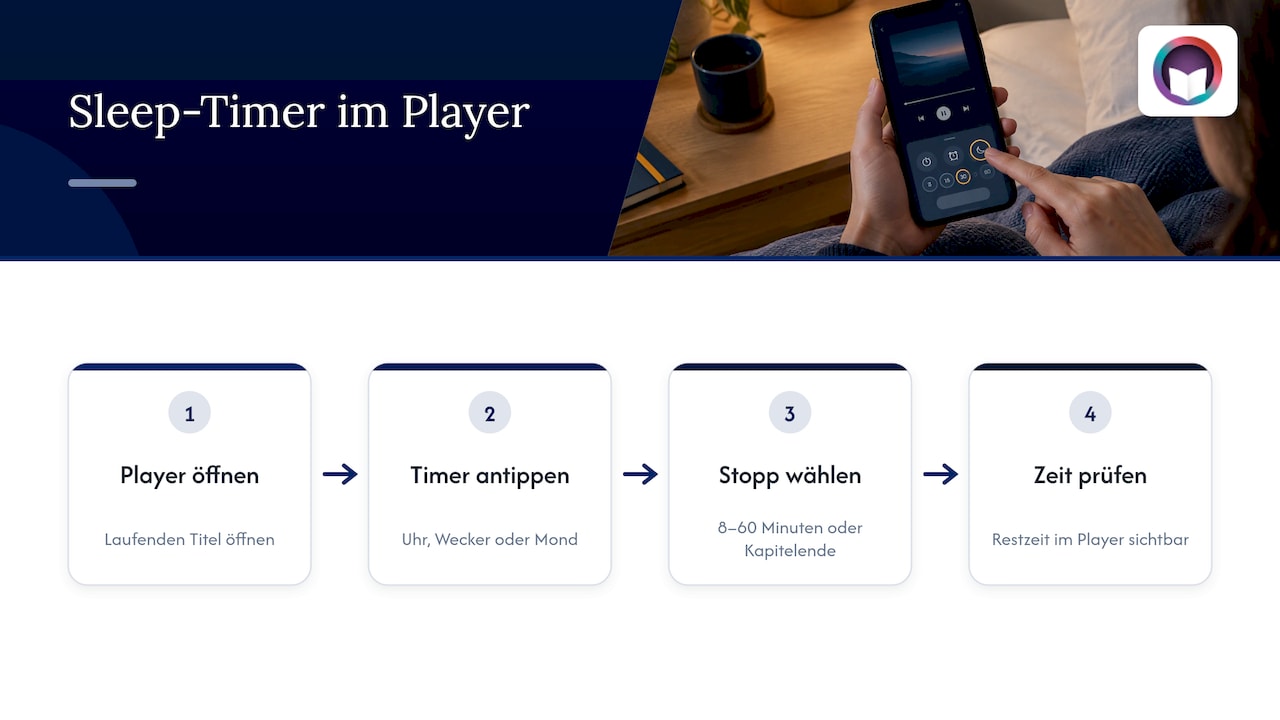
Most audiobook and podcast apps have a timer right in the full-screen player. Open the title that's playing and tap the clock, alarm clock, or moon icon, usually near the bottom. Then choose an interval or “End of chapter.” In one of the major subscription apps, the options range, according to hifi.de, from 8 to 60 minutes plus the end of the chapter, and the countdown starts without further confirmation. A remaining-time display in the player shows you that the timer is active.
iPhone and iPad: the Clock app's timer
If an app doesn't have its own timer, iOS takes care of it for you, for every audio app at once:
- Open the Clock app and switch to Timers.
- Set your preferred duration.
- Tap When Timer Ends and choose Stop Playing at the very bottom.
- Start the timer and then your audiobook.
When time is up, no alarm sounds; playback simply pauses. The setting stays saved, so you only need to change it once. If you like, you can put a shortcut for it on your lock screen.
Android
On Android, a lot depends on the manufacturer. Many audiobook and music apps come with their own timer, and that's exactly where you should look first: in the player menu or behind the three dots. Some manufacturers also offer bedtime or routine features in the system settings that let you pause media at a set time. The names differ depending on the device; a look at your manufacturer's help pages can save you some searching.
Smart speakers
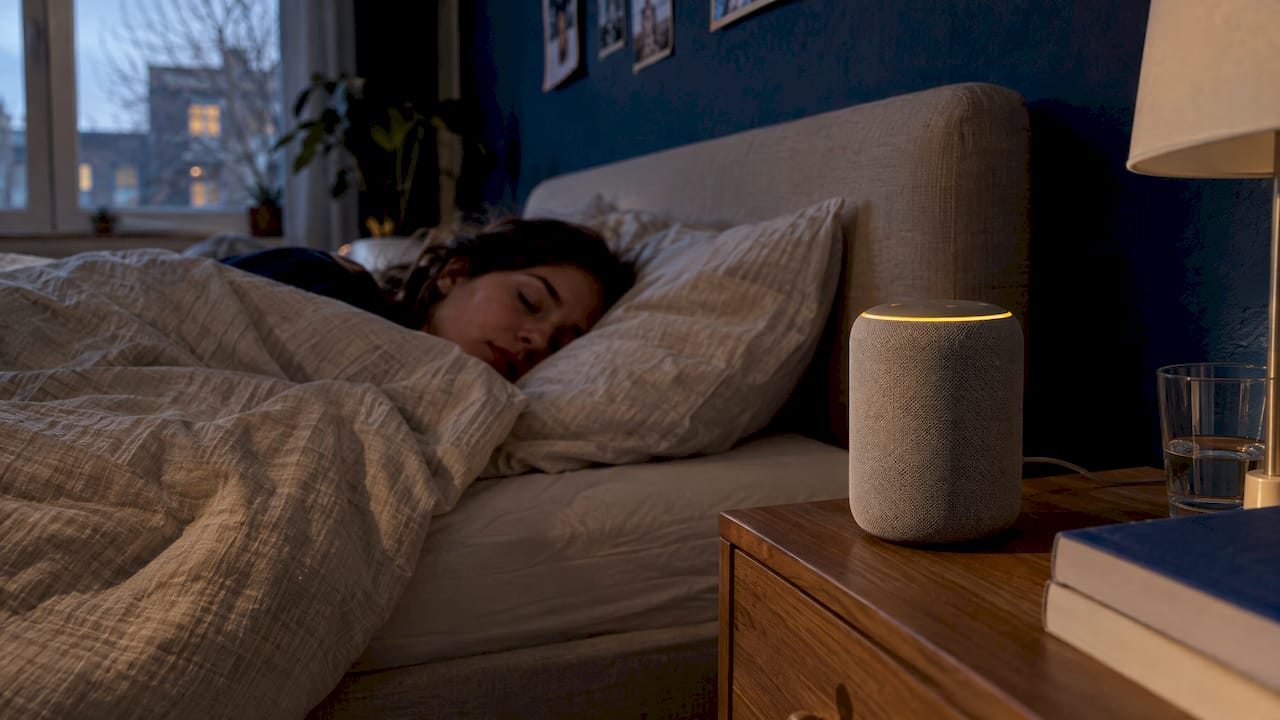
If you listen through a speaker in your bedroom, you don't need a phone at all. On Google speakers, according to Google Home Help, you can set a sleep timer by voice command, for example with “Set a sleep timer for 30 minutes” or “Stop playing at 11 p.m.” Only one such timer can run per device, and it may not work with some media, such as podcasts. So test it once in the early evening before relying on it at night.
On a computer
Many browser players on computers lack a timer. If your audiobook is playing as a local file, popular desktop players have a feature that stops playback after a certain amount of time. Otherwise, your operating system's power-saving settings can help: when the computer goes to sleep after a fixed time, playback ends too. We compare whether a file or a stream is better for you in our article MP3 or streaming.
Short stories: the audiobook that ends on its own
Why do so many people fall asleep midway through novels and feel annoyed about it in the morning? Because a novel isn't built for bedtime. An audiobook with a twelve-hour running time has no natural pause that fits your twenty minutes before sleep. You lose the thread, rewind, listen to scenes twice, and the story drags on for weeks.
A short story turns that around. It has a beginning, a twist, and an ending, all within the time you already have in the evening. That brings three benefits:
- No searching in the morning. If the story ends before you fall asleep, you've heard it all. If you fall asleep first, simply start the same short story again the next evening, or choose a new one.
- A satisfying conclusion. An ending signals to your mind that it's time to stop. A cliffhanger in the middle of a novel tends to do the opposite.
- The timer becomes a backup. You still set it so the next title doesn't start automatically after the ending. But it no longer has to guess when you'll fall asleep.
If you like longer story arcs, serialized stories are the middle ground. On OutaStory, authors can publish their stories chapter by chapter. One chapter per evening, combined with the “End of chapter” timer option, creates a regular ritual with a clear stopping point.
Which genre helps you fall asleep depends on your personality. Some people need something calm and warmhearted, like The Spoon That Knows the Way Home. Others switch off best with a world far removed from their everyday lives, such as the sci-fi story Androids Dream or the fantasy story The Iron Throne. Personally, we prefer to save thrillers and horror for the afternoon, but that's a matter of taste too.
For children: bedtime stories with a definite ending
For parents, the sleep timer is often the real reason for searching. Your child wants to hear another story; you want things to settle down afterward and the device not to keep playing until morning. A few things make the evening easier:
- One story, one ending. Short bedtime stories have a clear conclusion. Your child knows it's time to sleep afterward, and there's no negotiation over “just one more chapter.”
- The timer as a safety net. Set it slightly longer than the story so another title doesn't start automatically after the ending.
- A gentle fade-out. If your device slowly lowers the volume at the end, your child won't be startled awake. Some dedicated children's audio players include this feature as standard.
- Keep the screen out of the child's bedroom. Put the phone somewhere your child can't keep swiping, or use a speaker.
- Consistent rituals. The same time and the same sequence of brushing teeth, dimming the lights, and listening to a story help children wind down more than any technology.
In OutaStory's children's section, you'll find bedtime stories, animal adventures, and first rhymes that you can read aloud or play as audiobooks. We've put together suggestions for which stories suit which ages in our overview of the best bedtime stories for children aged 0 to 8+.
When the timer doesn't stop playback
You set the timer, wake up at three in the morning, and the audiobook is still playing? It's usually for one of these reasons:
- Battery optimization stops the timer. On Android, the system puts background apps to sleep to save power. The timer can be lost in the process. The fix: select the audiobook app under Apps in Settings and set its battery usage to “Unrestricted.”
- Headphone or speaker buttons override the timer. If you press Play on your headphones after the timer has ended, some apps restart playback without a timer. Simply set it again afterward.
- Movement extends it. If the shake feature is active, restless sleep with your phone in bed can be enough to extend the time repeatedly. Turn the feature off or put your phone on the bedside table.
- The app is frozen. If the player shows a frozen remaining time, close the app completely and restart it. If that doesn't help, clear the app's storage or reinstall it.
- Two timers interfere with each other. On many devices, a new timer replaces the one currently running. If you're using an app timer and a system timer at the same time, rely on just one of them.
- Autoplay starts the next title. When a chapter or story ends, some apps jump to the next item. Turn off automatic playback for the night.
Falling asleep with OutaStory
The best sleep timer is a story of the right length. On OutaStory, you can read short stories for free or listen to them as audiobooks, narrated by professionally produced voices or by the authors themselves. The range spans fantasy, romantasy, and science fiction through crime, thrillers, and horror, as well as a children's section with bedtime stories. Everything is available in German and English.
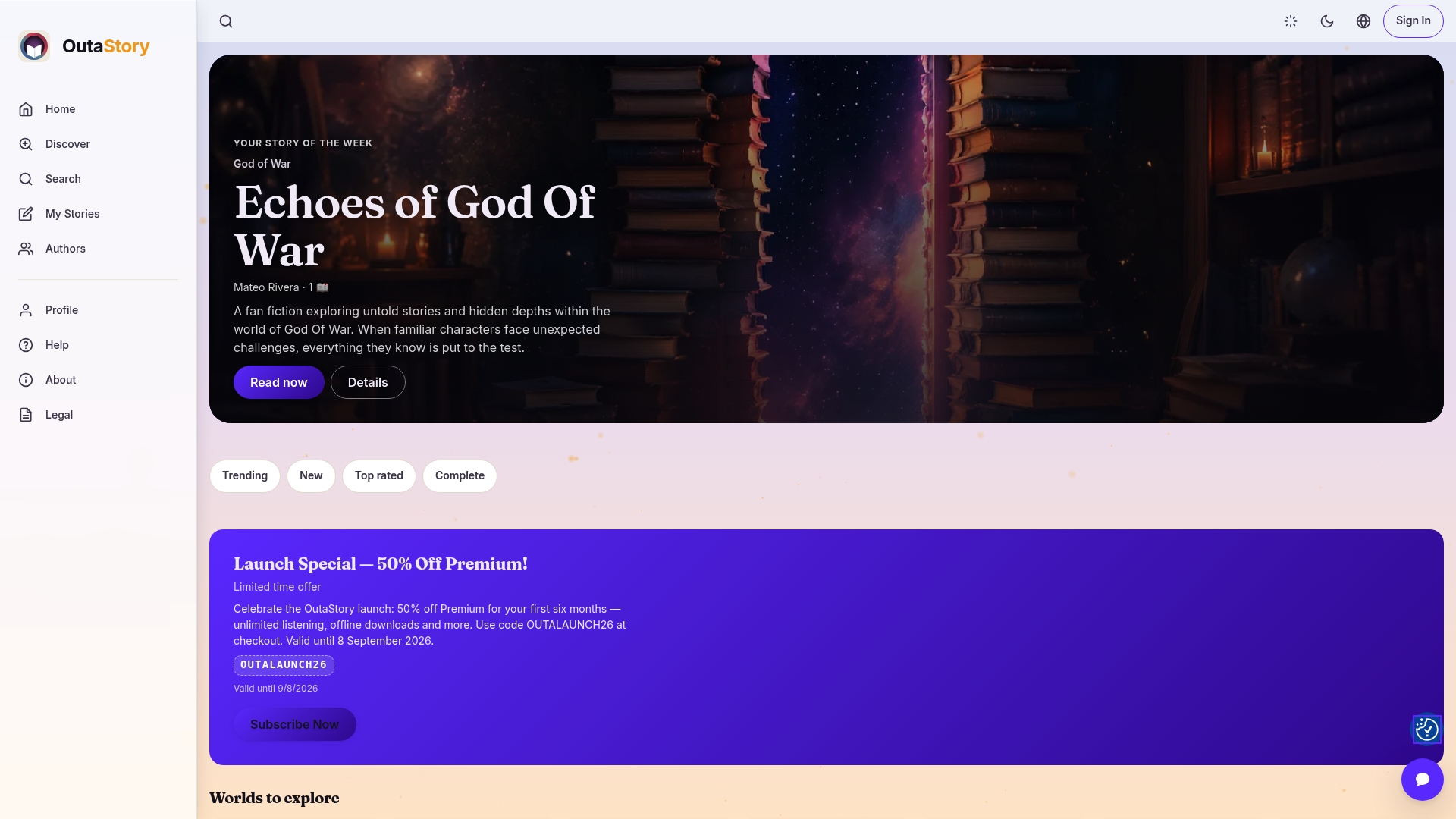
If listening before sleep becomes part of your evening ritual, it's worth taking a look at OutaStory Premium: it gives you unlimited listening, without ads and even offline. That way, your phone can stay in airplane mode at night while the story keeps playing.
And if you write yourself: even a story for falling asleep needs someone to tell it. On OutaStory, you can publish your short story in just a few minutes, chapter by chapter if you wish, and receive a share of the earnings through revenue sharing.
Frequently asked questions
Does Android have a built-in sleep timer?
Android doesn't have a single system timer for all audio apps. However, many audiobook and music apps come with their own timer in the player, and some manufacturers offer bedtime or routine features in the settings. Check your app's player menu first.
Can you set a timer in audiobook apps?
Yes, most audiobook apps have a timer in the full-screen player, usually behind a clock or moon icon. You choose a fixed duration or “End of chapter.” If the feature is missing, you can use the Clock app on an iPhone with the “Stop Playing” option.
How long should the sleep timer be?
As long as it usually takes you to fall asleep, plus a few extra minutes. Over a few evenings, pay attention to the last thing you remember in the morning. An even simpler option is a short story that's roughly as long as it takes you to fall asleep.
Which is better: a fixed time or the end of a chapter?
For short chapters, the end of the chapter is better because you stop at a clear break and know where to continue in the morning. For very long chapters, a fixed time makes more sense; otherwise, playback continues long after you've fallen asleep.
Does the timer work on smart speakers too?
On Google speakers, you can set a sleep timer by voice command, for example for 30 minutes or until a particular time. Only one timer runs per device, and it may not work with some media. So try it once before relying on it at night.
Sources
- hifi.de: Set the Audible sleep timer and drift off peacefully
- Google Home Help: Timers on a smart speaker or smart display
- MuPiBox documentation: Immediate actions and sleep timer
Recommendations
- The best bedtime stories for children aged 0 to 8+
- Audiobook speed: how to find your pace and save time
- The Library Where the Books at Night
- Setting audiobook bookmarks: how to remember every place
Read and write on OutaStory
Thousands of short stories to read for free — or publish your own and find an audience.