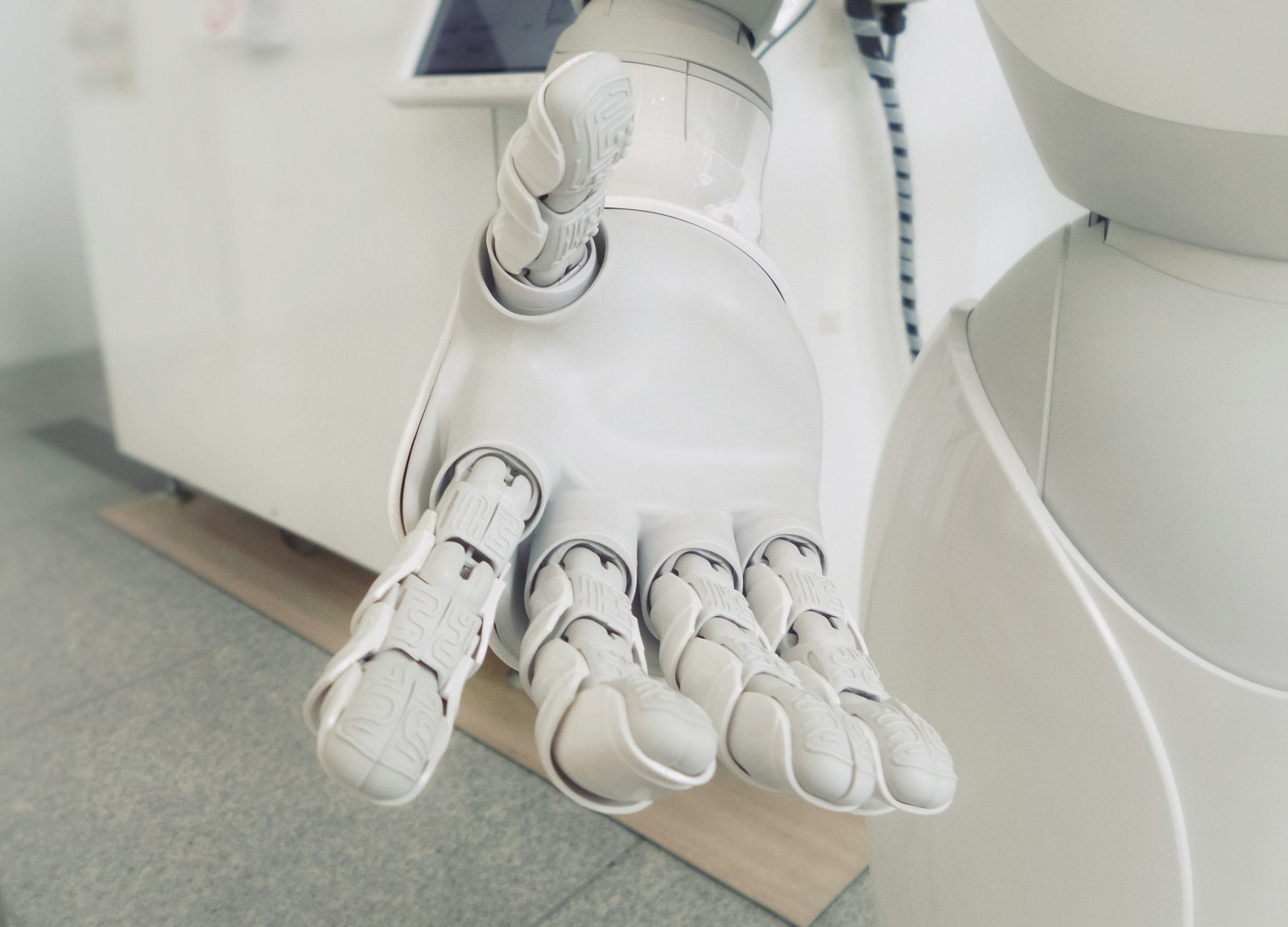
Sag Hallo zu Outa — ein Assistent, der zuhört, Widgets für den Startbildschirm und eine Bühne für Geschichten
 Foto: Unsplash
Die letzte Phase hat der Plattform eine Stimme gegeben: die eigene, geklonte Vorlese-Stimme, ein Guthaben-System, ein Marktplatz. Diese Phase dreht den Spieß um. Wenn OutaStory sprechen kann — kann es dann auch zuhören?
Ab jetzt: ja. OutaStory bekommt mit Outa einen Assistenten, mit dem man wirklich reden kann — laut, per Stimme, oder leise, per Tastatur. Outa hilft beim Schreiben, wenn man festhängt, erklärt Einstellungen, statt dass man sie sucht, und kennt den Weg zum Support, wenn etwas klemmt. Es ist der größte Strang dieser Wochen, und er ist — dazu unten mehr — mit derselben Sorgfalt gebaut wie zuletzt das Guthaben: mit klaren Grenzen, echter Einwilligung und ohne ein einziges Byte, das ohne dein Zutun irgendwohin fließt.
Aber Outa war nicht allein. In denselben Wochen ist OutaStory auf den Startbildschirm des Handys gezogen — mit einem Story-of-the-Day-Widget, einem Audio-Mini-Player und echten App-Links, die eine geteilte Geschichte direkt in der App öffnen. Die Startseite hat eine Bühne bekommen: eine große Story-of-the-Week-Inszenierung mit kuratierten Kategorie-Hintergründen. Autor:innen haben zwei lang gewünschte Freiheiten bekommen: Geschichten löschen — mit einer fairen Gnadenfrist für Leser:innen mittendrin — und unter Federnamen veröffentlichen. Und dieser Blog, den du gerade liest, ist selbst eines der neuen Stücke.
Dazu kommt die vielleicht dichteste Qualitäts-Welle seit Beginn der Alpha — und eine ehrliche Geschichte über einen einzigen Groß-/Kleinbuchstaben, der die komplette Suche lahmgelegt hat. 76 Pull-Requests seit dem letzten Beitrag, verteilt über vier Releases. Der Reihe nach.
Sag Hallo zu Outa
Der Kern zuerst: Unten rechts sitzt jetzt ein kleiner, dezenter Knopf. Ein Klick, eine kurze, klare Einwilligung — und dann kann man mit OutaStory sprechen. Wirklich sprechen: Wer angemeldet ist, redet mit Outa per Stimme, in natürlicher Sprache, mit Rückfragen und Unterbrechen, so wie man mit einem Menschen spricht. Wer lieber tippt — oder gerade in der Bahn sitzt —, führt dasselbe Gespräch per Text. Unter der Haube läuft die Agents-Plattform von ElevenLabs, demselben Partner, dessen Stimmen seit dem Stipendium die Hörfassungen tragen; die Gesprächs-Stimme von Outa klingt entsprechend erfreulich wenig nach Sprachcomputer.
Wichtiger als wie Outa spricht, ist, was Outa darf. Wir haben den Assistenten bewusst um vier Rollen herum gebaut:
- Schreibpartner. Man hängt im dritten Kapitel fest, der Dialog klingt hölzern, der Antagonist ist blass — Outa kennt die eigene Geschichte, denkt mit und macht Vorschläge. Aber: Kein Vorschlag landet je von selbst im Text. Jede Formulierung wird angezeigt, und erst ein ausdrückliches „übernehmen" fügt sie ein — die Geschichte bleibt zu jeder Sekunde die der Autorin.
- Profil-Erklärer. „Wo stelle ich ein, dass ich keine Push-Nachrichten will?" — Outa erklärt jede Einstellung und führt an die richtige Stelle. Selbst ändern darf Outa fast nichts: genau zwei Dinge — die Bio und das Newsletter-Abo —, und beides nur nach einer expliziten Bestätigung, bei der man sieht, was sich ändern würde.
- Support-Lotse. Fragen zur Plattform beantwortet Outa aus denselben Hilfe-Inhalten, die auch das Support-Center speisen. Und wo es ums Geld geht — eine Erstattung, eine seltsame Buchung —, gilt eine eiserne Regel: Outa bewegt niemals Geld. Stattdessen füllt Outa ein Support-Ticket mit allen Angaben vor, und ein Mensch entscheidet.
- Werkzeug fürs Team. Für Moderation und Verwaltung kennt Outa die Abkürzungen — „zeig mir die offenen Tickets" öffnet die richtige Seite. Auch hier nur Wegweiser, keine Eingriffe: Outa verlinkt Verwaltungs-Oberflächen, führt aber keine Verwaltungs-Aktionen aus.
Dieses Gefälle ist das eigentliche Design: abgestufte Befugnisse. Vorschlagen darf Outa viel, erklären noch mehr — ändern fast nichts, und Geld gar nicht. Ein Assistent, der alles dürfte, wäre schneller gebaut gewesen. Aber niemand vertraut einem Assistenten seine Geschichte an, der ungefragt hineinschreibt, und niemand seine Geldbörse einem, der „das schon regelt".
Einwilligung, die den Namen verdient
Ein Sprach-Assistent lebt von einem externen Anbieter — und genau deshalb war uns ein Punkt wichtiger als jede Funktion: Bevor du nicht ausdrücklich zustimmst, fließt kein einziges Byte zu ElevenLabs. Kein Skript wird geladen, keine Verbindung geöffnet, nichts. Der Knopf unten rechts ist bis zu deinem Klick reine Zier — und dass das so bleibt, prüft ein automatischer Browser-Test bei jedem einzelnen Build: Er beobachtet den Netzwerkverkehr und schlägt Alarm, wenn vor der Einwilligung auch nur eine Anfrage in Richtung Anbieter geht.
Dazu kommt Datensparsamkeit im Betrieb: Die Sprach-Funktion ist angemeldeten Nutzer:innen vorbehalten; wer anonym vorbeischaut, kann mit Outa schreiben — bewusst gedrosselt auf eine Handvoll Gespräche pro Tag und Gerät. Der Schlüssel zum Anbieter verlässt zu keinem Zeitpunkt unseren Server; der Browser bekommt nur eine kurzlebige, signierte Eintrittskarte für genau ein Gespräch. Und die Datenschutzerklärung wurde nicht „demnächst nachgezogen", sondern ist im selben Release um den Assistenten-Abschnitt erweitert worden — samt Datenauskunft und Lösch-Weg, wie es unsere Inventur-Regel seit der Datenschutz-Phase für jede neue Datenkategorie verlangt.
Der Assistent als Quelltext
Eine Eigenheit, auf die ich ein bisschen stolz bin: Outas gesamtes „Wesen" — die Persönlichkeit, die Regeln, die Grenzen, das Wissen über die Plattform — liegt als Quelltext in unserem Repository, versioniert wie jede andere Zeile Code. Beim Ausrollen gleicht die Plattform den Stand beim Anbieter automatisch mit dieser Definition ab. Das klingt technisch, hat aber eine sehr menschliche Konsequenz: Es gibt keinen stillen Drift, kein „wer hat denn das im Anbieter-Dashboard verstellt?". Jede Änderung an dem, was Outa sagt und darf, durchläuft dieselbe Prüfung wie jede Code-Änderung — nachvollziehbar, rückrollbar, dokumentiert.
Outa ist mit dem aktuellen Release live gegangen und erscheint hinter einem Schalter zuerst für die Alpha — auf dem Web und in den Apps, dort inklusive Mikrofon-Berechtigung mit sauberem Rückfall auf den Text-Chat, wenn man sie verweigert.
OutaStory zieht auf den Startbildschirm
 Foto: Unsplash
Bisher war OutaStory etwas, das man öffnet. Diese Wochen ist es etwas geworden, das einem entgegenkommt — direkt auf dem Startbildschirm des Handys.
Auf Android gibt es jetzt zwei Home-Screen-Widgets:
- Die Geschichte des Tages. Ein Widget zeigt jeden Tag eine ausgewählte Geschichte mit Cover und Titel — ein kleines Schaufenster zwischen den App-Symbolen. Ein Tipp darauf öffnet nicht etwa die App-Startseite, von der man sich durchklicken müsste, sondern genau diese Geschichte.
- Der Audio-Mini-Player. Wer eine Hörfassung angefangen hat, sieht auf dem Startbildschirm, wo er stehen geblieben ist — mit Fortschrittsbalken und echten Transport-Tasten. Weiterhören, ohne die App zu suchen; und wer gerade nichts angefangen hat, bekommt einen Vorschlag. Damit das auch im Funkloch stimmt, merkt sich das Gerät den Hör-Stand lokal.
Dass die Widget-Tipps punktgenau in der Geschichte landen, verdanken sie dem zweiten Strang: echten App-Links. Ein OutaStory-Link — aus einer Mail, einem Chat, einem geteilten Beitrag — öffnet auf iOS (Universal Links) und Android (App Links) jetzt direkt die installierte App an der richtigen Stelle, statt im Browser zu stranden. Ist die App nicht installiert, passiert das Richtige: Der Link öffnet ganz normal die Website. Nebenbei ist das die Grundlage für die Domain-Verifizierung in den App-Stores — ein unscheinbarer Baustein, der später beim öffentlichen Start zählt.
Die erste Fassung des Story-Widgets hatte übrigens zwei Kinderkrankheiten — Cover aus dem Seed-Katalog blieben leer, und die Tagesgeschichte füllte sich nicht zuverlässig —, beide sind noch in derselben Welle behoben worden.
Eine Bühne für Geschichten
 Foto: Unsplash
Die Startseite konnte bisher vor allem eines: viele Geschichten auflisten. Was ihr fehlte, war ein Ort, an dem eine einzelne Geschichte glänzen darf. Jetzt hat sie ihn: Ganz oben empfängt einen die Story of the Week — großformatig inszeniert, mit Cover, Beschreibung und einem Hintergrund, der zur Welt der Geschichte passt. Und „passt" heißt hier: Für die Kategorien gibt es jetzt kuratierte Hero-Hintergründe — zwei Dutzend eigens ausgewählte Stimmungsbilder, von denen jede Kategorie ihres erbt, solange kein eigenes hochgeladen ist. Die Bühne wechselt als behutsames Karussell, und welche Geschichte dort steht, richtet sich — wie der Rest der Startseite — nach dem, was dich interessiert.
Gleich darunter hat das Hören seinen festen Platz bekommen: eine personalisierte Hörgeschichten-Reihe, verlässlich an dritter Stelle, auf beiden Ausprägungen der Startseite. Wer OutaStory vor allem mit den Ohren nutzt — und das werden seit den Audio-Wochen spürbar mehr —, muss die Hörfassungen nicht mehr suchen.
Ein eigenes Schaufenster: dieser Blog
Bisher erschienen diese Beiträge nur als Dateien im Maschinenraum. Jetzt haben sie ein Zuhause: outastory.com/blog — genau die Seite, auf der du diesen Text vermutlich liest. Der Blog läuft über Postnomic, ist zweisprachig (jeder Beitrag auf Deutsch und Englisch), sauber in die Plattform eingebettet — Fußzeile, Über-uns, Sitemap, Suchmaschinen-Auszeichnung — und übersteht als öffentliches Schaufenster auch die Coming-Soon-Phase: Wer wissen will, was hier entsteht, kann es ab sofort mitlesen, bevor die Plattform selbst öffnet.
Autor:innen behalten die Kontrolle
 Foto: Unsplash
Zwei Freiheiten, die auf den ersten Blick klein wirken und auf den zweiten grundsätzlich sind:
Geschichten löschen — mit Anstand. Wer eine eigene Geschichte zurückziehen will, kann das jetzt. Aber eine Plattform, auf der Menschen mitten in einer Geschichte stecken, darf sie ihnen nicht von einer Sekunde auf die andere unter den Füßen wegziehen. Deshalb ist das Löschen als sanftes Löschen mit Gnadenfrist gebaut: Die Geschichte verschwindet sofort aus Katalog, Suche und Empfehlungen, aber wer sie bereits liest oder hört, darf sie in einer Übergangszeit zu Ende lesen — mit einem ehrlichen Hinweis-Banner, dass die Autorin sie zurückgezogen hat. Die Autorin selbst behält in „Meine Geschichten" einen Blick auf die gelöschte Geschichte, und nur die Moderation kann in ernsten Fällen sofort und endgültig entfernen. In der ersten Woche haben wir hier gleich nachgeschärft: Das Banner saß nicht überall, der „Ansehen"-Knopf fehlte, und die eigene gelöschte Geschichte tauchte auf der eigenen Startseite noch als Empfehlung auf — alles behoben.
Schreiben unter Federnamen. Manche Geschichten schreibt man nicht unter dem Namen, unter dem einen die Kolleg:innen kennen. Autor:innen können jetzt Pseudonyme anlegen — jedes mit eigenem Profil, eigener Adresse, eigenem Avatar und eigenen Follower:innen. Veröffentlicht man unter dem Federnamen, führt öffentlich nichts zum echten Konto zurück: nicht die Profilseite, nicht die Sitemap, nicht die Hörfassung. Nach innen bleibt alles ein Konto — ein Postfach, eine Geldbörse, eine Übersicht. Es ist dieselbe Idee wie beim Stimm-Klon, nur andersherum: Dort gibt man der Geschichte die eigene Stimme; hier nimmt man den eigenen Namen heraus, wenn die Geschichte das braucht.
Eine Lektion: die Suche, die nichts mehr fand
Jetzt die versprochene ehrliche Geschichte. Anfang des Monats lieferte die Suche in der Produktion auf jede Anfrage dieselbe Antwort: nichts. Keine Fehlermeldung, kein Absturz, kein roter Alarm — einfach null Treffer, für alle, auf alles.
Die Ursache war ein einziger Unterschied in der Groß- und Kleinschreibung. Der Such-Dienst legt Felder in einer Schreibweise ab (title), unser Übersetzer im Programmcode erwartete sie in einer anderen (Title) — und war dabei stillschweigend pingelig: Statt zu warnen, ließ er jedes Feld, das nicht exakt passte, einfach leer. Der Suchindex war voll, die Suche funktionierte, die Antworten kamen zurück — und wurden auf dem letzten Meter wortlos zu leeren Hüllen. Ein Fehler, der kracht, wäre in Minuten gefunden gewesen. Ein Fehler, der schweigt, sieht aus wie „es gibt halt keine Treffer".
Der Fix selbst war eine Zeile. Die eigentliche Arbeit war die Konsequenz daraus: Die Suche meldet jetzt auffällige Stille — wenn verdächtig viele Anfragen leer ausgehen, schlägt die Beobachtbarkeits-Schicht Alarm, statt dass wir auf den Zufall angewiesen sind, es selbst zu bemerken. Es ist dieselbe Lektion wie bei der vervierfachten Audio-Dauer vor ein paar Wochen: Die gefährlichsten Fehler sind nicht die lauten, sondern die höflichen. Inzwischen ist die Suche verifiziert wiederhergestellt — und um einen Wachhund reicher.
In dieselbe Kategorie fiel ein zweiter stiller Kandidat: Ein routinemäßiges Bibliotheks-Update hatte der Datenbank-Anbindung die Azure-Anmelde-Bausteine entzogen — die API kam beim Start schlicht nicht mehr an ihre Datenbank. Auch hier: festgenagelt, abgesichert, und eine Wächter-Prüfung eingezogen, damit dieselbe Falle beim nächsten Update zuschnappt, bevor sie die Produktion erreicht.
Das Sicherheitsnetz wird engmaschiger
Der stillste und zugleich größte Block dieser Wochen: über dreißig Pull-Requests nur für Tests. Drei Dinge daraus sind erzählenswert:
- Das Produktions-Sicherheitsnetz testet jetzt strikt wie ein Mensch. Unsere End-to-End-Tests gegen die laufende Plattform meldeten sich früher an manchen Stellen über Hintertüren an der Oberfläche vorbei. Diese Abkürzungen sind komplett entfernt: Jeder Produktions-Test meldet sich jetzt über das echte Login-Formular an, klickt echte Seiten und prüft, was wirklich gerendert wird — Moderation, Verwaltung, Kampagnen, Bezahlseiten, alles. Was ein Mensch nicht über die Oberfläche kann, testen wir nicht heimlich über die Technik — denn genau in dieser Lücke verstecken sich die Fehler, die später „nur echte Nutzer" treffen.
- Fast jede Seite hat jetzt ein eigenes Test-Gerüst. In einer Wochen-Welle sind Browser- und Komponenten-Tests für die verbleibenden Bereiche entstanden — Profil, Verwaltung, Moderation, Hilfe, Verträge, Einblicke. Die Seiten-Abdeckung war der letzte rote Fleck auf unserer Qualitäts-Landkarte; er schrumpft jetzt Woche für Woche sichtbar.
- Die Prüfung hat sich sofort bezahlt gemacht. Beim systematischen Abklopfen der Konto-Schnittstellen fiel auf, dass zwei Selbstverwaltungs-Endpunkte eine übergebene Kennung zu bereitwillig akzeptierten — ein angemeldeter Nutzer hätte mit präparierten Anfragen fremde Konto-Daten berühren können. Das Loch ist geschlossen; die Endpunkte prüfen jetzt ausnahmslos, dass man nur am eigenen Konto arbeitet. Es gab keinerlei Hinweise auf Ausnutzung — aber genau dafür klopft man ab.
Dazu kamen Nacharbeiten am Guthaben aus der Vorwoche: Eine automatische Abgleich-Runde spürt liegengebliebene Vertonungs-Buchungen auf und erstattet sie, ohne dass jemand ein Ticket schreiben muss; das Team kann Guthaben jetzt mit Vier-Augen-Spur gutschreiben (jede Vergabe landet in einem Prüfprotokoll); und neue Guthaben-Pakete sind ab dem Moment des Ausrollens kaufbar, nicht erst nach einem Handgriff im Bezahl-Anbieter.
Zahlen zum Stand
- Pull-Requests: exakt 76 seit dem letzten Beitrag — der dichteste Block bisher. Schwerpunkte: der Assistent Outa (vier große PRs von Fundament bis Datenschutz), die Android-Widgets (sieben PRs in Plan-Schritten), Startseiten-Bühne, App-Links, Blog, Löschen & Federnamen — und über dreißig Test-PRs.
- Releases: vier — die Widgets-Welle, dann Bühne + Blog + App-Links + Hör-Reihe, dann die Reparatur-Welle mit der wiederhergestellten Suche, und zuletzt das Release, das Outa live gebracht hat.
- Hauptthemen: ein sprechender Assistent mit abgestuften Befugnissen und echter Einwilligung; OutaStory auf dem Startbildschirm (Widgets + App-Links); Story of the Week mit kuratierten Kategorie-Bühnen; ein öffentlicher, zweisprachiger Blog; Löschen mit Gnadenfrist; Federnamen mit sauberer Trennung; eine geschlossene Sicherheitslücke; eine Suche mit Wachhund.
- Tests: weiterhin im hohen Zehntausender-Bereich grün, mit der größten Einzel-Welle an neuen Seiten- und Oberflächen-Tests seit Bestehen des Netzes — und einem Produktions-Sicherheitsnetz, das jetzt ausschließlich wie ein echter Mensch klickt.
Was als nächstes
- Outa in der Praxis härten — die ersten echten Gespräche beobachten, Kanten schleifen, und die Geräte-Checklisten (Mikrofon, Einfügen, Bestätigungen) auf allen Plattformen durchspielen.
- Die Widgets aufs Gerät — die Android-Checklisten für Tagesgeschichte und Mini-Player stehen; App-Link-Tipp-Tests auf iOS und Android folgen.
- Datenschutz-Freigaben vor dem öffentlichen Start — für den Assistenten wie für den Jugendschutz gelten dokumentierte Prüfpunkte unserer Datenschutzbeauftragten, bevor Schalter für die Öffentlichkeit umgelegt werden.
- Store-Käufe im Sandkasten — der echte Kauf-Durchlauf auf Android- und iOS-Geräten steht weiter aus.
- Seiten-Tests fortsetzen — der letzte rote Coverage-Fleck schrumpft weiter in Wochen-Wellen.
Vor ein paar Monaten war OutaStory eine Plattform, die man liest. Dann eine, die vorliest. Jetzt ist es eine, die zuhört — und die einem auf dem Startbildschirm entgegenkommt, statt darauf zu warten, geöffnet zu werden. Wenn du mit Outa sprichst und es sich falsch anfühlt — eine Antwort, die zu forsch ist, ein Vorschlag, der übergriffig wirkt, eine Bestätigung, die fehlt, wo du eine erwartet hättest —, dann ist genau das die Rückmeldung, die jetzt zählt. Einem Assistenten Grenzen beizubringen ist leichter, solange er neu ist. Sag mir Bescheid — oder sag es Outa; für den Weg zum Support ist es schließlich gebaut.