
Listen to audiobooks offline: The practical guide
Audiobooks can be listened to offline in most apps as long as you have downloaded the titles beforehand. The download itself requires an internet connection; playback does not. Three things must be in place: enough storage on the device, an active app login, and for many subscription services a premium access level for downloads. Many apps allow offline listening as a standard feature because it saves data and enables listening in dead zones or on airplanes.
Get started right away:
- Open the app, go to your library, search for the desired title
- Tap “Download” or the arrow icon
- Wait for the download, then enable airplane mode and test briefly
Pro tip: Test each new download once in airplane mode before you head out. That way you’ll know for sure the title is stored locally and not just streamed.
Key takeaways
Listening to audiobooks offline works reliably if you download titles over Wi‑Fi before your flight or trip and briefly test the offline mode.
| Thema | Details |
|---|---|
| Grundvoraussetzung | Titles must be downloaded in the app before offline use. |
| Kostenlose Optionen | Public-domain collections (e.g. Befreite Hörbücher) and library lending via Onleihe are legal and free. |
| DRM und Ablauf | Borrowed and subscription titles are deleted automatically after the loan period or subscription ends. |
| Speicher sparen | Choose a lower bitrate when downloading; Android users can fall back to an SD card. |
| Outastory | Freemium platform with premium offline downloads for short stories without loan periods. |
Table of contents
- Which services allow you to listen offline?
- How to download audiobooks — step by step
- Listen offline for free — legal sources that actually work
- DRM, buying vs. borrowing — what offline access really means
- Practical tips for a reliable offline experience
- Common problems and how to fix them quickly
- Outastory: Offline listening for short stories and audiobooks
- Outastory: Listen to short stories offline whenever you want
- Sources
- FAQ
Which services allow you to listen offline?
Different app categories offer offline modes, but with varying conditions. Knowing the right model can save you frustration later.
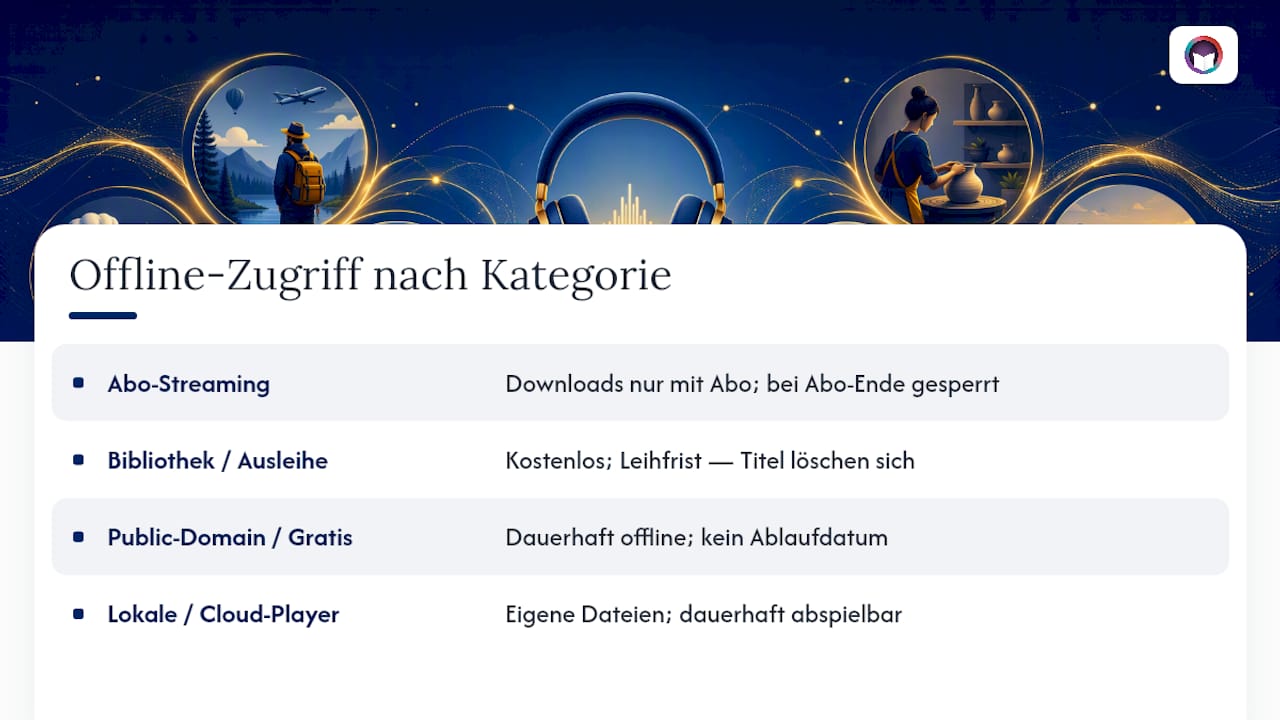
Subscription streaming services have the largest catalogs and the most mature offline features. However, downloads here are usually tied to premium, i.e. a paid subscription. If the subscription lapses, the stored files are typically locked.
Library and lending apps like Onleihe allow free downloads through the public library. The catch: loan periods. After expiry the title is removed automatically, even if it still exists locally.
Public-domain and free apps are the only category where you can keep titles offline permanently. Public-domain works are not subject to expiry dates or subscription ties.
Local files and cloud players are aimed at users with their own audio files. Apps like CloudBeats connect to Dropbox or Google Drive and download your own files for offline playback to the device.
How to download audiobooks — step by step
The process is almost identical on iOS and Android, only the exact placement of buttons differs slightly.
- Open the app and make sure you are logged in.
- Go to Library or “My Titles” — that’s where all content you have access to appears.
- Select a title and open the detail page.
- Tap “Download” — on iOS often a down-arrow icon, on Android often accessible via the three-dots menu.
- Monitor the download — a progress bar or a checkmark shows when the title is finished.
- Enable airplane mode and test playback briefly.
Always download large files over Wi‑Fi, not mobile data. Check beforehand that at least 500 MB of free storage remains.
Pro tip: Schedule downloads the evening before a trip. Download all chapters at once while the device charges, then check in airplane mode whether everything is playable.
Listen offline for free — legal sources that actually work
If you don’t want to pay for a subscription, you have three solid options.

Public-domain collections are the simplest way. Works whose copyright has expired may be downloaded and kept by anyone. The Android app “Befreite Hörbücher” provides a comprehensive number of classic audiobooks, including titles by Kafka, Goethe and Jules Verne. The app offers a sleep timer, speed control and Chromecast support. Librivox is the best-known international source for the same catalogue, with its own app for iOS and Android.
Library lending via Onleihe is free if you are a member of a participating public library. You borrow titles digitally, download them in the Onleihe app and listen offline. Forum reports confirm that the files are locally available, but loan periods remain active. After expiry the title is gone.
Freemium platforms like Outastory allow free reading and listening to part of the catalog without a subscription. If you want to test which stories to take with you, you can check that in advance for free.
DRM, buying vs. borrowing — what offline access really means
This is the point that surprises most users.
- Purchased titles generally remain available permanently, as long as you are logged into the app and the provider exists.
- Borrowed titles delete themselves automatically after the loan period, even if they are stored locally.
- Subscription downloads are tied to the active subscription. If the subscription ends, the files are locked or deleted.
- Logout risk: Many services remove local downloads upon logout. Help center articles confirm that downloads are no longer accessible after logging out.
Downloaded audiobooks are usually not available as free MP3 files but in proprietary formats like AAX. They are app-bound and cannot be exported without special tools. DRM is both technically and legally intended. Plan to use the app where you buy or borrow as your permanent playback medium.
Unofficial conversion methods exist but are legally problematic and often technically unstable. The safest route is to stay within the respective app.
Practical tips for a reliable offline experience
Download quality vs. storage: Most apps offer two or three quality levels. A lower bitrate (e.g. 64 kbps instead of 128 kbps) halves the file size with barely audible difference. For long audiobooks on trips this is a real advantage.
SD card: Android devices often allow redirecting downloads to an external SD card. That saves internal storage considerably. iOS does not support this; there all downloads go into the app’s own area.
Library management: If you use your own MP3 files, check chapter markers and metadata. If they’re missing, the app may jump to the wrong position when resuming. Tools like Mp3tag help to edit metadata.
Common problems and how to fix them quickly
Download won’t start:
- Check your internet connection, preferably Wi‑Fi
- Check app login — logged-out users often can’t download
- Check storage space: less than 200 MB free is not enough for many titles
- Update the app to the latest version
- Check app permissions in the system menu (storage access)
Title won’t play:
- Check license status: Is the title still validly borrowed or is the subscription still active?
- Log out, log back in and try again
- Clear app cache (Android: Settings → Apps → Clear cache)
- Uninstall and reinstall the app as a last resort
Onleihe problems: You can find the expiry date in the loan area of the app. If the period has expired, you must borrow the title again. The support team of the respective public library can help with technical problems.
Download interrupted: Check Wi‑Fi stability, start only one download at a time and, if necessary, try a different network.
Outastory: Offline listening for short stories and audiobooks
Outastory operates on a freemium model: reading and listening are free, the premium subscription unlocks unlimited downloads for offline use. Before a trip you can selectively download chapters or whole stories, which are then playable without an internet connection. The offering ranges from fantasy, romantasy and science fiction to crime and thrillers and children’s bedtime stories. Every story is available as an audiobook, narrated by professional voices or the author themselves. Authors can publish their short stories directly and participate in revenue sharing.
Outastory: Listen to short stories offline whenever you want
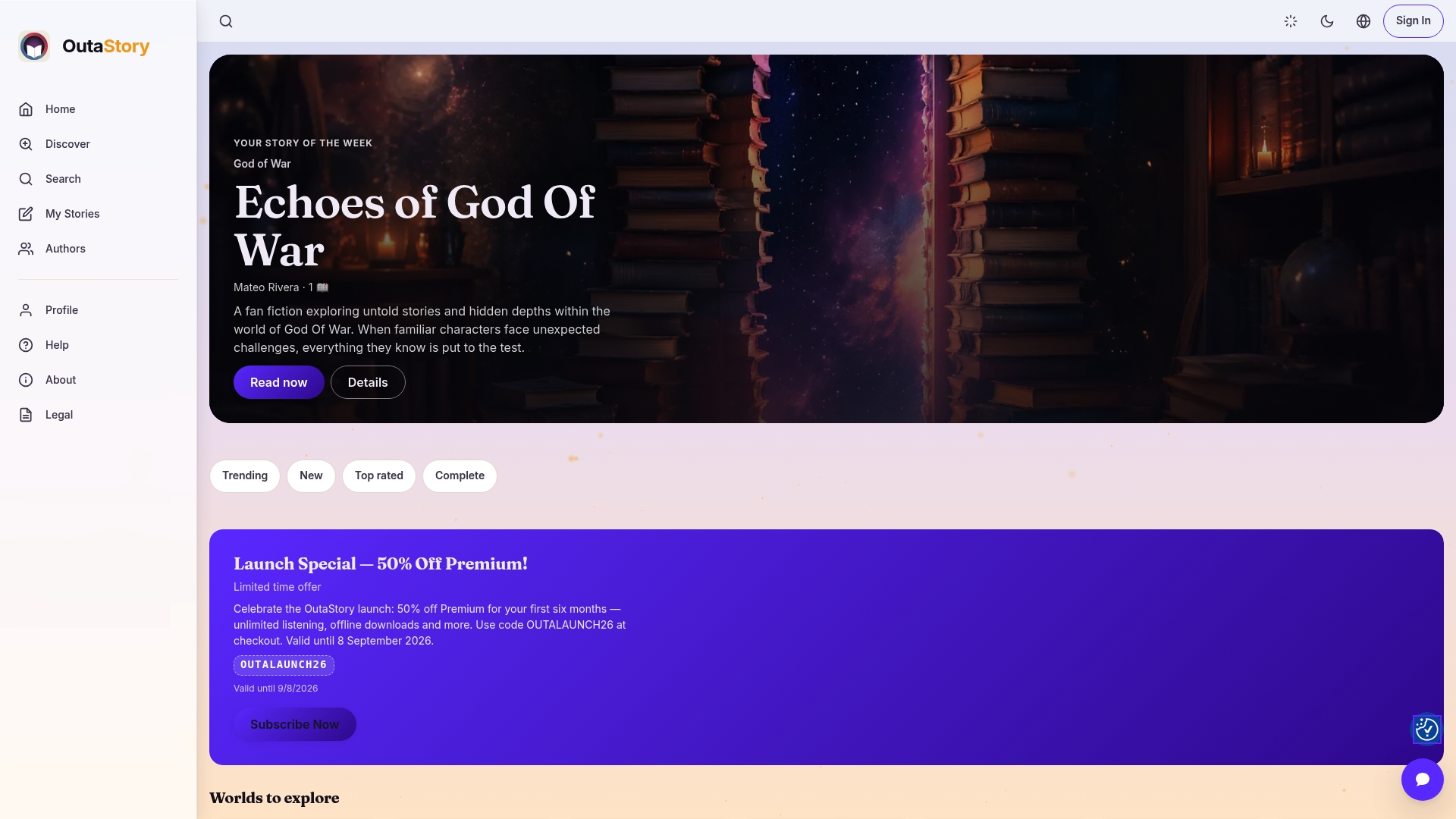
If you want to listen to audiobooks offline without working through long novels, Outastory offers a different approach: short, self-contained stories that are ideal for commutes, short breaks or the night before sleep. The freemium model means: start for free, get to know the catalog and only upgrade if you know you’ll listen offline regularly. Premium unlocks unlimited offline downloads, without loan periods or expiry dates. Genres such as fantasy, romantasy, crime and children’s stories are available, narrated by professional voices. Try Outastory now for free and download your first stories for the road: Outastory
Sources
- Audible offline: How to download titles and listen without the internet
- Befreite Hörbücher – apps on Google Play
- Audiobook apps with offline mode
- Cloudbeats audio books offline in the App Store
FAQ
Can you listen to audiobooks offline?
Yes. Once a title is downloaded in the app, it can be played without an internet connection. The download itself requires a connection only once.
How can you listen to audiobooks offline for free?
Through public-domain collections like the “Befreite Hörbücher” app or Librivox, thousands of titles are available for free download. Alternatively, the Onleihe allows free borrowing via the public library, but with loan periods.
Can you listen to audiobooks without an internet connection?
Yes, provided the title was downloaded beforehand. Many apps offer an offline mode that plays locally stored content without a data connection.
Can I listen to audiobooks in airplane mode?
Yes. In airplane mode, all previously downloaded titles are playable. This is also the simplest test to check whether a download is truly stored locally and not just streamed.
Read and write on OutaStory
Thousands of short stories to read for free — or publish your own and find an audience.